Reports
Reports
Miva Merchant ships with five default reports:
- Best Sellers
- Recent Best Selling Products
- Recent Sales
- Recent Sales Geographic Breakdown
- Statistics

The Best Sellers and Statistics reports were developed in earlier versions of Miva Merchant. These two reports display only on your Miva Merchant home page and cannot be edited. The other three reports: Recent Best Selling Products, Recent Sales, and Recent Sales Geographic Breakdown, can be edited, but you cannot change the Reporting Module (essentially the report type). Of course, you can also create new reports of any type.
To Run a Report
- Go to
 > Reports.
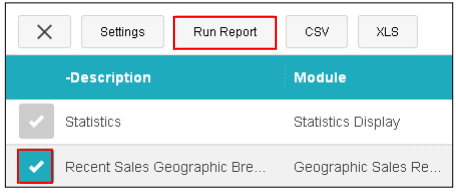
- In the Reports tab, select a report (click once), then click Run Report
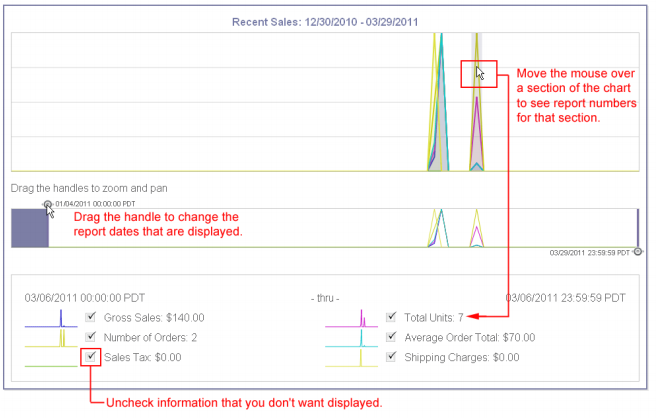
- The report will open in a new window.