Marketplaces
Marketplaces
The Marketplaces feature:
- Links your Miva Merchant store to other stores you have on eBay, Amazon, or Etsy.
- Lets you use your Miva Merchant store as a central location where you can manage listings, inventory, and orders for all of your stores.
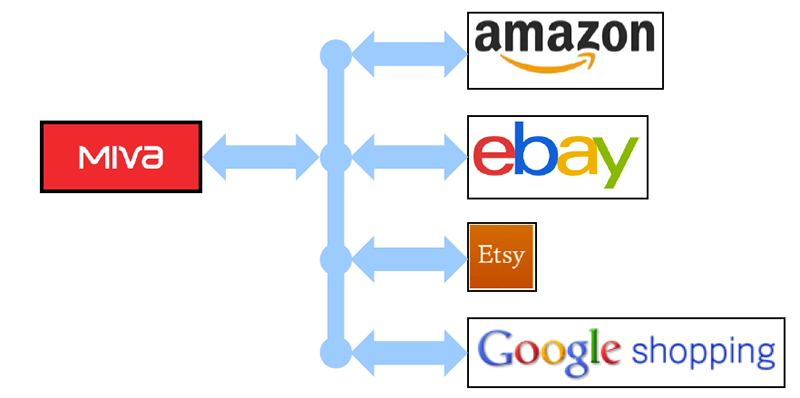
These external stores have slightly different ways of doing things, so the way that your Miva Merchant store works with each is a little different too. However, the general process of working with Marketplaces is:
- Install the Marketplaces module in the admin interface.
- Link your Miva Merchant store to your external seller account.
- Create product listings in the admin interface and upload them to your other store.
- Download orders from your other stores and view/edit them in the admin interface.
Comparing Different Marketplaces
| Buyer ID | Update Miva Inventory | Create a Listing in the Admin Interface | View the eBay / Amazon Listing | Download Orders | Change Shipment Status in Miva | |
| eBay | Yes. | Yes. | Yes. | Yes. In the Listings tab. | Automatic | Uploaded automatically to your eBay store |
| Amazon | No. | Yes. | Create a link to an existing Amazon product. | No. | Manual | Uploaded automatically to your Amazon store |
| Etsy | No. | Yes. | Yes. | Yes. In the Listings tab. | Manual | Uploaded automatically to your Etsy store |
| Google Shopping | No. | No. | Yes. | No. | No. | No. |
But see also:
- An Overview of Marketplaces - eBay
- An Overview of Marketplaces - Amazon
- An Overview of Marketplaces - Etsy
- An Overview of Marketplaces - Google
To Install the Marketplaces Module
You have to install this module before you can link your Miva Merchant store to eBay or Amazon.
- Go to
 > Utilities > Add/Remove Modules > Available Modules section.
- Under Marketplaces, click Install.