Store Settings
The Sales Tax Calculation Field
The Sales Tax Calculation field in the  > Store Settings > Store Details tab > Settings section
has a significant effect on both the admin interface and your on-line store. Selecting a value from the
Sales Tax Calculation drop-down list:
- Adds one or more tabs to the Store Settings tab list. The new tab(s) will vary depending on what you selected as the Sales Tax Calculation.
- Adds one or more tabs to the Edit Product tab list.
- Will change the taxes that customers see during the checkout process.
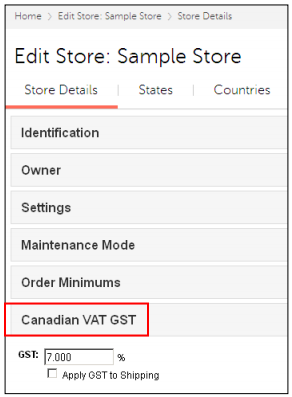
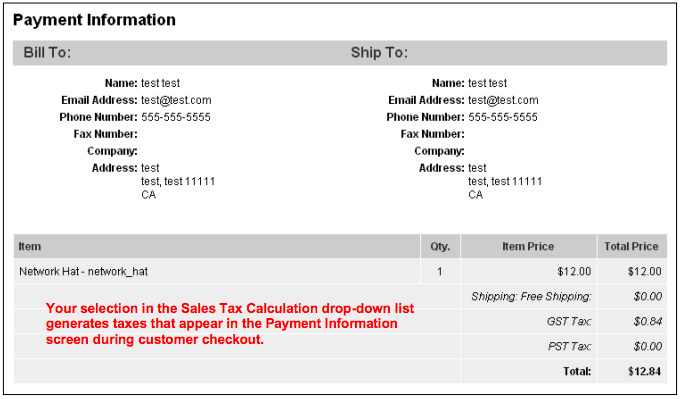
The table below shows the changes that occur depending on what value you select in the Sales Tax Calculation Selection drop-down list.
| Sales Tax Calculation Selection: | Creates a New Tab or Section in Store Settings Called: | Creates a New Section Under Edit Product > Product Tab Called: | Example of What the Customer Sees in the Payment Information Screen |
| Canadian VAT | Store Settings > Store Details tab > Canadian VAT GST | Canadian VAT |
|
| European VAT | Store Settings > VAT Rates tab Store Settings > VAT Countries tab Store Settings > Store Details tab > VAT Options section |
VAT |
|
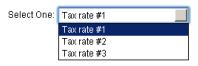
| Shopper Selected Sales Tax | Store Settings > Store Details tab > Shopper Selected Sales Tax Prompt | N/A | Customers select one of the
tax rates that you create
when they are at the Order
Details screen:
|
| State Based Sales Tax | Store Settings > Store Details tab > State Based Sales Tax | N/A |
|
| Generic VAT | Store Settings > Store Details tab > VAT Options | VAT |
|