General Information
Other New Features of the Version 9 Interface
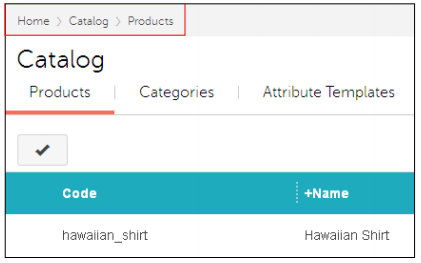
Breadcrumbs
In Version 9, there are two types of Breadcrumbs:
- Smart Breadcrumbs, introduced in PR8, help your customers navigate your on-line store.
- Admin Breadcrumbs, introduced in Version 9, help store employees navigate the admin interface. As you visit different screens in the admin interface, you will always see a breadcrumb trail at the top of the screen. You can click on a link in a breadcrumb to go directly to that screen.

Ellipsis Dots on Tabs
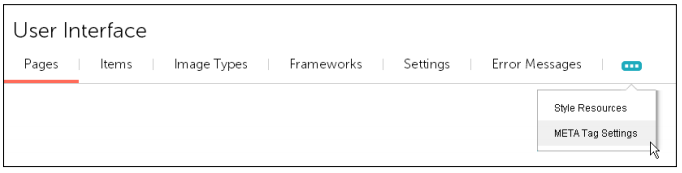
If you see ellipsis dots on a tab, it means that the browser window isn't wide enough to show all of the tabs. Click on the ellipsis dots to see what additional tabs are available.
Edit and Quick Edit
Everything in the admin interface can be considered a "record". A product is a record. A customer account is a record, etc. There are many types of records in the admin interface, and most of them can be edited. For example, you can edit a product and change the retail price of that product.
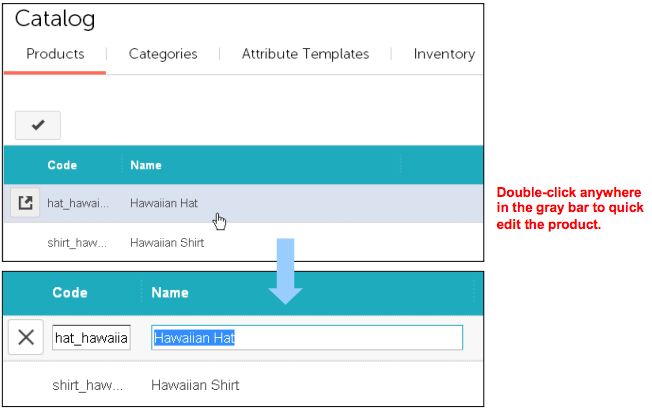
There are two types of editing in the admin interface: "quick edit" and "full edit". Some types of records only have quick edit. Some types of records have both quick edit and full edit mode.
To Edit a Product
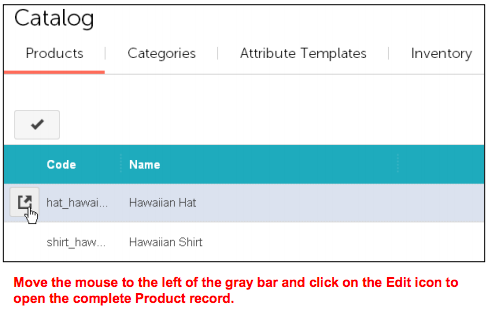
To Quick Edit a Product
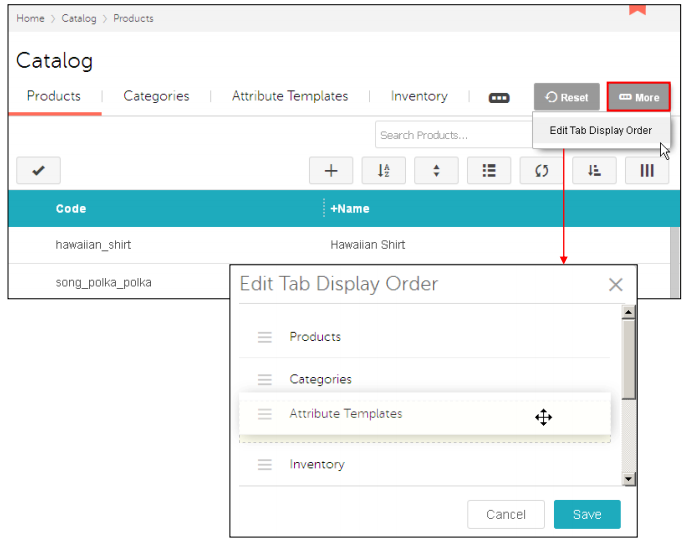
Reorganize Tabs
In Version 9.0005 and later you can reorganize tabs.
- In almost every tab of the admin interface, you can click on the More button and then select Edit Tab Display Order.
- In the Edit Tab Display Order dialog box, click on a tab and drag it to a new location.
- Click Save. The changes that you make are saved as part of your admin account and will still be there after you log out.