User Interface
Style Resources
Use this tab to upload CSS files to your store. After you've uploaded a CSS file, you can modify page template code to reference the file. You can use CSS files with both the MMUI and CSSUI frameworks.
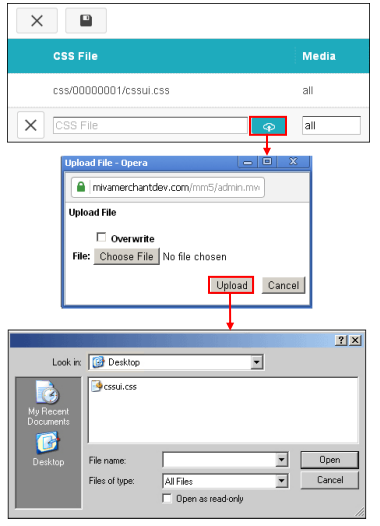
To Upload a CSS File
- Click Add Style Resource

- In the CSS File column, enter a name for your file.
- Use the Media field to set the CSS media type. See http://www.w3schools.com/css/css_mediatypes.asp
- Click the Upload button

- Find the CSS file on your local machine.